FRST
The software every FRST deck runs: one Zephyr RTOS image with a Plan 9 soul. The same firmware drives the MODEL4's e-paper and the Model Three's color screen, and it runs in your browser, too. Point it at the old internet and it becomes a time machine.
Everything is a file.
FRST borrows its shape from Plan 9, the Bell Labs system that came after Unix. The radio, the running threads, the network connections and the battery are all directories you can read and write. There is no separate interface for them: open, read and write are the whole of it.
Those files are arranged in a namespace that is yours to rearrange.
bind and mount move things around,
ns prints what it looks like, and attune
attaches another machine's files — a BBS across the internet,
a data crystal across the room — as easily as a local disk.
The protocol underneath is 9P, over Wi-Fi, Bluetooth, a serial
cable or the LoRa mesh.
And the manual is on the deck: a page for every command, readable with no network and no other machine in the room. It will be there in a tent, on a train, and after the last server that knew about the machine has been switched off.
A time machine for the old internet.
“Roads? Where we’re going, we don’t need roads.”
The old internet never went away. The BBSes are still answering, the shell accounts are still open, and gopherspace is still growing, one plain-text menu at a time. A deck with a real keyboard, a screen made for text and no web browser to distract it turns out to be the perfect vehicle. Here it is, going there.
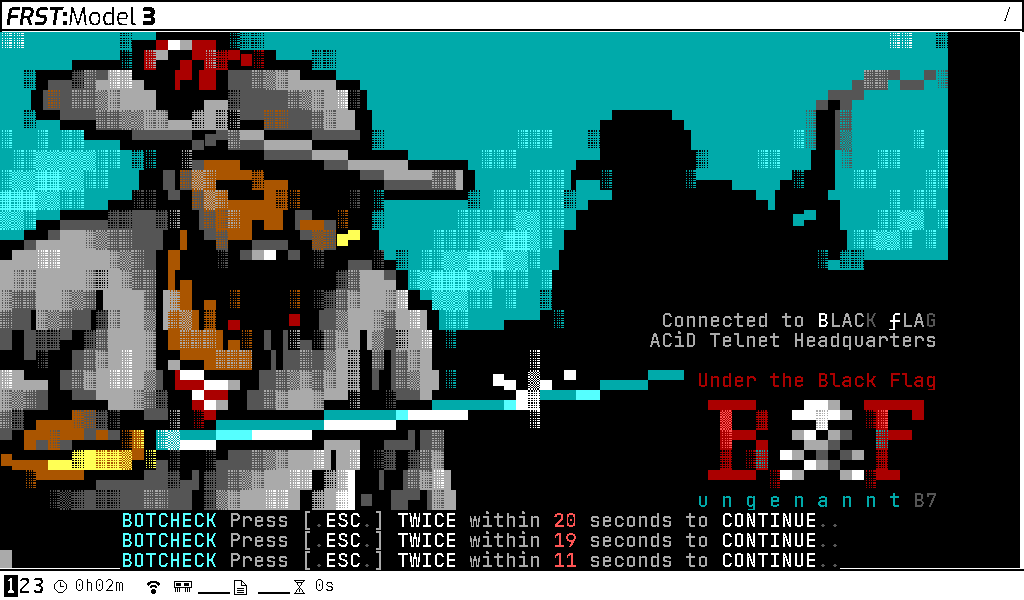
telnet · dial the BBSes
A real VT100/ANSI terminal: 16 and 256 colors, CP437 block art and UTF-8, files up and down by ZMODEM. Every BBS still on the air, at the speed of now.
Black Flag, ACiD’s telnet headquarters · telnet blackflag.acid.org
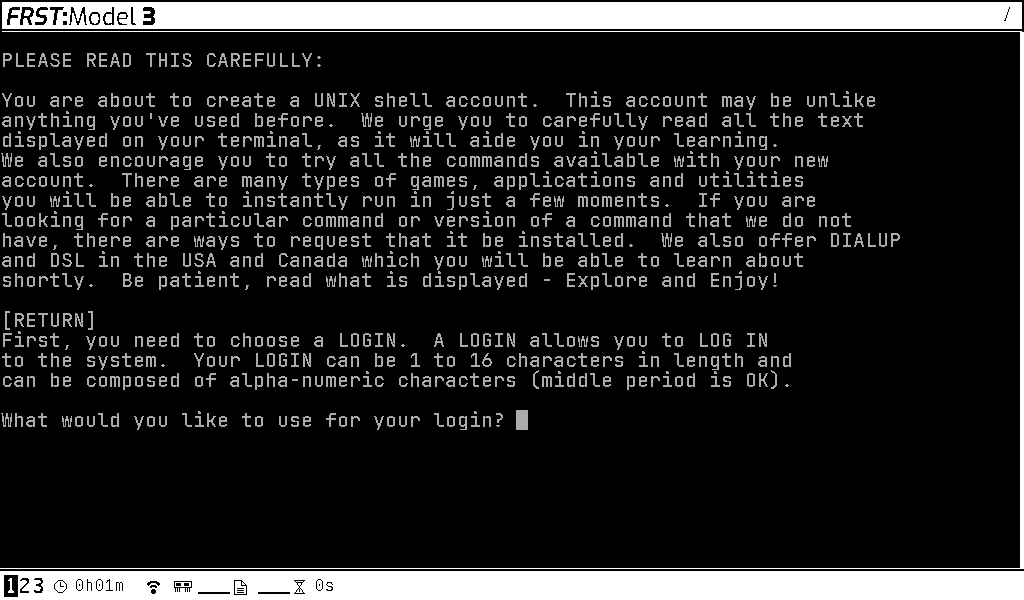
ssh · a shell account, the way they were
Log in to a Unix box across the world, straight from the deck. The deck’s own key signs you in, and it remembers every host it has met.
SDF, public-access Unix since 1987 · ssh new@sdf.org
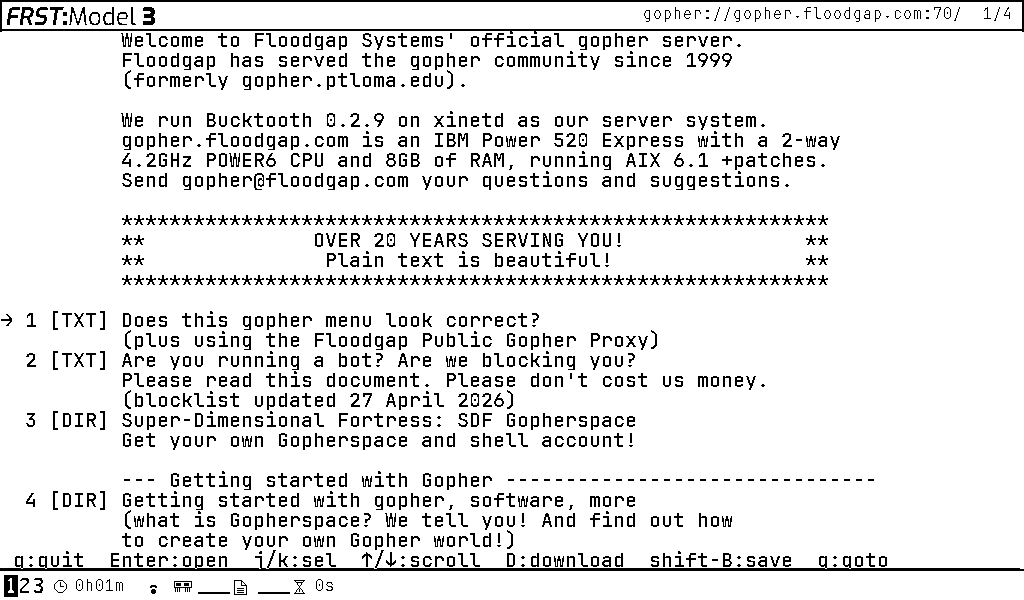
gopher · gopherspace, read and write
The internet as it was before the web won: menus, text and files, fast on any link. It writes, too: post to a gopher board straight from the deck.
Floodgap, the heart of gopherspace · gopher gopher.floodgap.com
Captured from the Model Three firmware, running in our simulator on the live internet — the same firmware as the browser demo. On a MODEL4, telnet and gopher draw the same sessions in ink.
The whole kit.
Everything below ships on every deck unless it's marked Model Three; those need the Pi's color screen, loudspeaker or extra memory.
- The shell
rc, after the Plan 9 shell: small, single quotes only, withif,for,while,fnandswitch- Shells side by side, each its own session: three on the MODEL4, nine on the Model Three
Ctrl-Cto stop long work, andCtrl-A !, the emergency key: every thread, its stack and what it waits on, then reboot or close the shell in front- Color where the screen has it:
lsby kind, errors in red, and apaperorcrttheme Model Three cat,ls,cp,mv,rm,grep,wc,sed,stat,df,ps, and a pager,phelpfor the short list,manfor the rest,man -kto search it
- Writing things down
- Four editors:
ed,sam,seandvi todo,calandcontact: notes to self, a calendar, an address bookleap, after the Canon Cat: one text with no modes, the LEAP keys under your thumbs to jump anywhere in it, and CALC, SORT and LEARN; the keyboard's keys and light change to match while it runsslides, for giving a talk from the deck
- Four editors:
- The network
wifito join networks, andportalto get through the login page at the coffee shopgopher, a gopherspace browser that can write as well as readtelnetandvt, a VT100/ANSI terminal for BBSes and remote shellsftp,ping,fingerandncbbs,handleandid: boards on a data crystal, your name there, and the key that says who you are — backed up as a code or a QR you can photographssh, with a session in every shell; the deck's key signs you inhget, to fetch a file over https and check it Model Threeexportfs, to serve the deck's own files over the network Model Threevpn, a WireGuard tunnel, split or full, with its keys minted on the deck
- The mesh
- Æther, a LoRa mesh between decks, at
/net/aether: no towers, no internet chatandachatto talk,whoto see who's aroundaexport, to share your files with the deck next to youmeshcore, for MeshCore chat through a ZephCore node, its hosted room included
- Æther, a LoRa mesh between decks, at
- Looking and listening
img, for pictures: dithered on e-paper, in color on the Model Threepdf, a page at a timepaint, 9front's paint program, andpaint -c, a canvas on the BBS that everyone there draws on at once Model Threegfx, a window onto a data crystal's machine: its screen on yours, your keys and pointer on itplay,radioandsay: sound files, internet radio, and text to speech Model Three
- Diversions
- Interactive fiction:
zork, and anything else for the Z-machine woz, an Apple 1forth, a Forth that makes games: a canvas, a PC speaker, sprites and held keys, all over files, with Breakout in a page to start fromdoom: DOOM itself on the Model Three (bring a WAD, or fetch one from the board), with up to four players in one game through the BBS; on the MODEL4, played on a data crystal and drawn in inkchessas a picture, with pixel-art pieces and the mouse, and a shelf of small games:tetris,snake,zzt,wumpus,hangman,blackjack,fortuneand moree2c, the Egypt to Canaan board game Model Threeintro26, the demo
- Interactive fiction:
- Keeping the deck
date,power,uptime,rebootfsupgrade, to refresh the bundled filessysupdate, to install the latest firmware from the BBS (on the Model Three it boots the new one once, and keeps it only if it comes up)boot, to choose which system boots next Model Three
A reboot away.
The Model Three dual-boots. Type
boot 9front and it comes up in the latest release of
9front, the living fork of Plan 9 itself, with the deck's own
keyboard and touchpad; boot 9front once returns to FRST
at the next restart.
- The whole system: rio, acme, sam, mail, a web browser, a gopher browser, and the source to all of it
- Bundled machine emulators
- Atari 2600
- Commodore 64
- Nintendo NES, SNES, Game Boy, Game Boy Color and Game Boy Advance
- Sega Mega Drive / Genesis
- The Blit, Bell Labs' original bitmapped windowing terminal
- Knuth's MIX, with its assembler
- Games: DOOM (bring your own WAD), Spacewar (from Plan 9's 1st Edition), mahjongg, sokoban, sudoku, and more
All of it. Read it, fork it.
FRST is open source, and so is everything around it: the deck firmware, the libraries it stands on, the keyboard's firmware, and aetherd, the daemon that runs the BBS and the data crystals. Everything we write is MIT licensed — the most open terms we could find.
- Release tarballs, with checksums, on gopher:
frstcomputer.com/files
- The FRST firmware
- The keyboard firmware (our ZMK fork), as source and as a UF2 image
- aetherd, for data crystals — and Unix
- The libraries, on GitHub
- 9p4z: 9P for Zephyr
- aephyr: the Æther mesh for Zephyr
- zephyr-pforth: Forth for Zephyr
- 9front's own source, at 9front.org
The pieces we didn't write keep their own licenses; the NOTICE file in the source tarball has the full list.
On “AI”
Yes, we use it. Since Fall 2025 the firmware has been written in close collaboration with Claude, Anthropic's models, through Claude Code. The design, the direction and the responsibility are Jon's; a great many of the lines were written together. Any code smells are Claude's. ;)
And yes, those models learned from open-source code of every license under the sun. That's why we give it all back in the most open form we can think of.
Take it for a spin.
No soldering required. The real firmware runs in this browser — as a MODEL4 or as a Model Three — and it can make the same trips:
% attune
% telnet blackflag.acid.org
% gopher gopher.floodgap.com
% man intro
attune connects the browser to our public data crystal,
which carries its network. Visitors get a metered allowance of
outbound connections; minting a key is free and takes no email
address. The demo draws the deck’s screen on a canvas, which
screen readers can’t read; this page describes everything
it does in words.